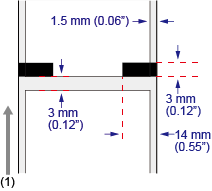
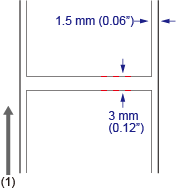
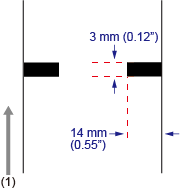
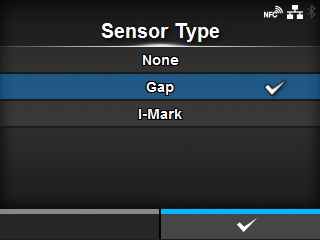
CL-NX Media Sensor Type Miho 15 May 2026 11:57 Updated The product adjusts the print position precisely by detecting I-marks or gaps on the media (label) using media sensors. The I-marks or gaps on each type of media are as follows: I-mark label Gap label I-mark journal paper/linerless label (CL4NX only) (1) Media feed direction Set the sensor type to detect the print position according to the media to be used. Set the sensor type according to the following procedure: 1. Press the button in Online mode. The product changes to Offline mode. 2. Press the button. The product changes to Settings mode. 3. Select [Printing] using the / buttons. 4. Press the button. The item list appears. 5. Select [Sensor Type] using the / buttons. 6. Press the button. The [Sensor Type] screen appears. 7. Select the sensor type to detect the print position using the / buttons. [None] Disables the media sensor. [Gap] Select when using gap type media. Use the transmissive type sensor. [I-Mark] Select when using I-mark type media. Use the reflective type sensor. • If you have selected [Tear-Off], [Dispenser], or [Cut & Print] in the [Print Mode] menu, only [Gap] and [I-Mark] will be available. • If you have selected [Linerless] in the [Print Mode] menu (CL4NX only), only [None] and [I-Mark] will be available. 8. Press the button to confirm. [02-00707-EN]

 button in Online mode.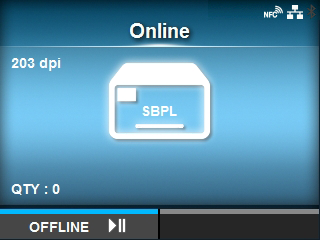
 button.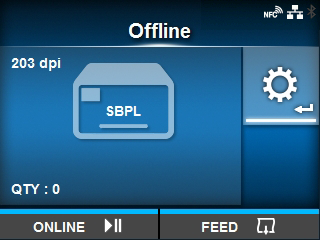
 /
/ buttons.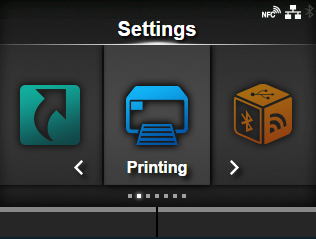
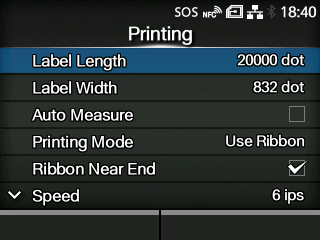
 /
/ buttons.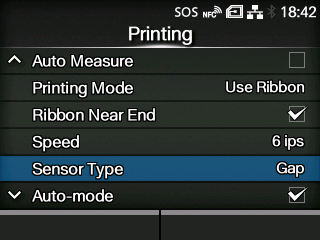
 button to confirm.