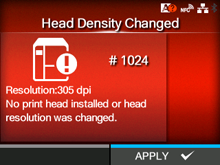
CL-NX Error Message 1024 (Head Density Changed) Miho 16 May 2026 09:56 Updated When there is an error with the product, the error message appears on the screen. Check the cause and countermeasure, and then take appropriate action. To clear the error: Check the message that appeared on the screen. Cause and Countermeasure Reference Cause (1) The print head is not installed. Countermeasure (1) Install the print head. Replacing the Print Head Cause (2) A new print head with a different resolution has been installed. Countermeasure (2) Install a print head with the same resolution as the old print head. Replacing the Print Head [01-01449-EN]