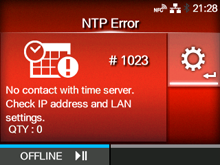
CL-NX Error Message 1023 (NTP Error) Miho 16 May 2026 09:56 Updated When there is an error with the product, the error message appears on the screen. Check the cause and countermeasure, and then take appropriate action. To clear the error: Press thebutton (OFFLINE) or change the calendar setting. Cause and Countermeasure Reference Cause Could not connect to the time server and set the date and time. Countermeasure ◦ Confirm that the address of the time server is correct. ◦ Confirm that there is a connection to the time server. ◦ If RTC kit is attached, the date and time can be set manually and operation resumed without NTP functionality. Time Server IP Regional [01-01447-EN]
 button (OFFLINE) or change the calendar setting.