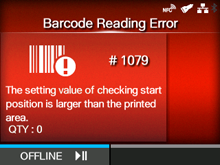
CL-NX Error Message 1079 (Barcode Reading Error (Checking Start Position Abnormality)) Miho 16 May 2026 09:56 Updated When there is an error with the product, the error message appears on the screen. Check the cause and countermeasure, and then take appropriate action. To clear the error: Press thebutton (OFFLINE). The product changes to Offline mode while keeping the print job. Cause and Countermeasure Reference Cause A value larger than the loaded media length is specified for checking start position. Countermeasure ◦ Check the layout for printing. ◦ Set a value smaller than the loaded media length for checking start position. Start Position [01-01479-EN]
 button (OFFLINE). The product changes to Offline mode while keeping the print job.