|
|
|
•
|
Be careful not to touch the cutter blade.
|
|
View the video below for the procedure.
|
|
|
•
|
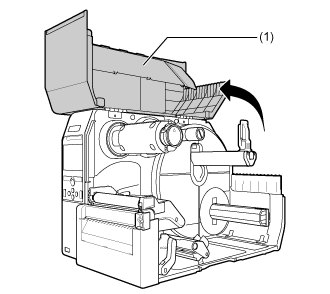
Open the top cover fully to prevent accidental drop of the cover.
|
|
|
2.
|
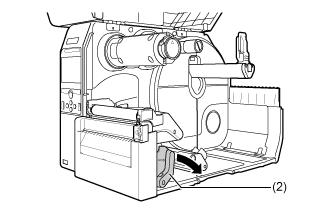
Push the head lock lever (2) towards the rear.
|
|
3.
|
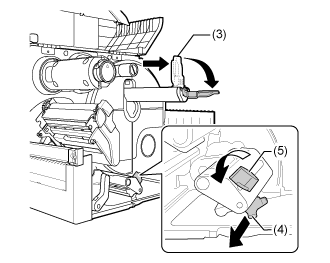
Pull the media holder guide (3) and media guide (4) away from the product.
|
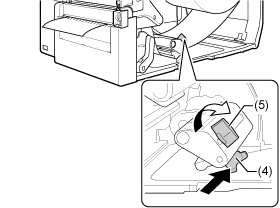
Turn the knob (5) counterclockwise to release the media guide.
|
4.
|
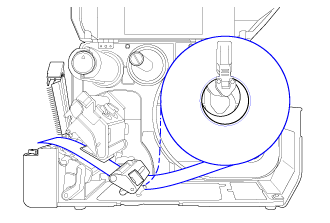
Load the media roll or the fan-fold media.
|
The routing path of the media is shown in the below picture.
|
a.
|
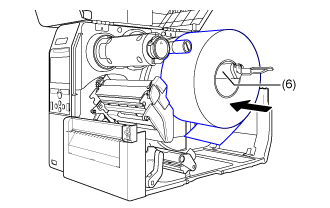
Load the media in the media holder (6).
|
Make sure that the media roll is all the way in towards the inside of the product.
|
b.
|
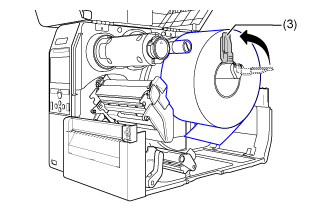
Push the media holder guide (3) lightly against the media roll.
|
|
a.
|
Place the fan-fold media on a flat location, and then load the media from the rear of the product or from the media slot on the bottom of the product.
|
The routing path of the media is shown in the below picture.
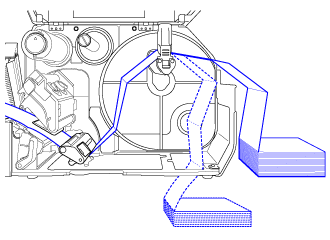
Load the media from the rear of the product
Load the media from the bottom of the product.
|
|
|
•
|
When loading the media, make sure that the print side faces up.
|
|
|
5.
|
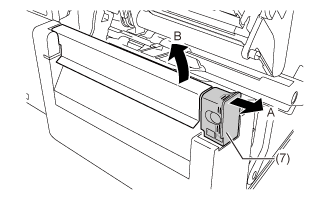
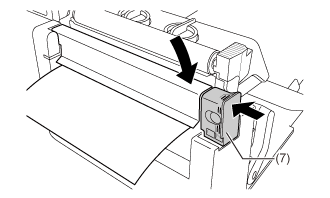
Pull the tab (7) of the cutter unit in the direction A, and then open up the cutter-open lever to (B).
|
|
6.
|
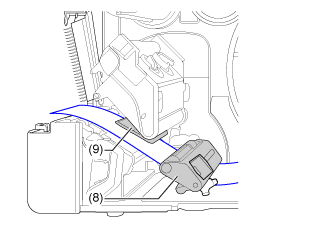
Pass the media below the media damper (8) and media sensor guide (9) and through the cutter unit while pushing the media to inside of the product.
|
Make sure that the end of the media extends out the front of the product.
|
7.
|
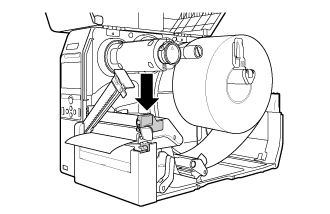
Press the print head down until the head lock lever is locked.
|
|
8.
|
Close the cutter and then push the tab (7) in the reverse direction to lock it.
|
|
9.
|
Press the media guide (4) lightly against the end of the media, and then turn the knob (5) to lock the media guide.
|
|
|
|
•
|
When closing the top cover, be careful not to pinch your fingers.
|
|
|
11.
|
Press the button (FEED) in Offline mode to feed the media. button (FEED) in Offline mode to feed the media.
|
|
12.
|
Press the button (ONLINE) to change to Online mode. button (ONLINE) to change to Online mode.
|
|
|
|
•
|
You need to load the ribbon when printing using thermal transfer.
|
|
[01-01410-EN]