|
|
|
•
|
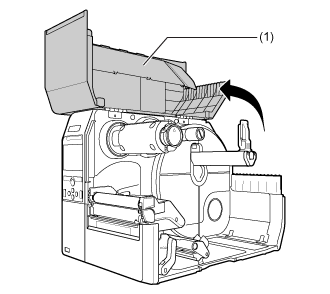
Open the top cover fully to prevent accidental drop of the cover.
|
|
|
2.
|
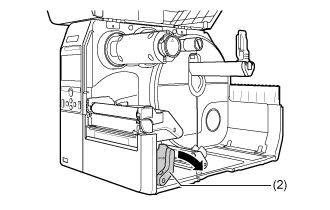
Push the head lock lever (2) towards the rear.
|
|
3.
|
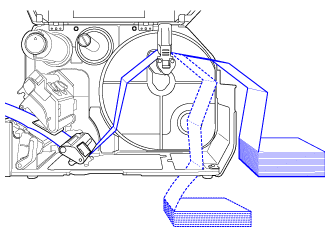
Place the fan-fold media on a flat location, and load the media from the media slot on the rear or the bottom of the product.
|
The routing path of the media is shown in the below picture.
Load the media from the rear of the product
Load the media from the bottom of the product.
|
|
|
•
|
When loading the media, make sure that the print side faces up.
|
|
|
4.
|
After passing the media through the slot, refer to the same steps as the Media Roll to load the media.
|
|
|
|
•
|
You need to load the ribbon when printing using thermal transfer.
|
|
•
|
If a media jam frequently occurs with the media being loaded from the bottom of the product, change the load location to the rear of the product.
|
|
[01-01409-EN]