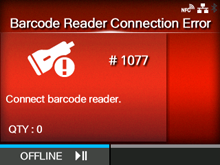
CL-NX Error Message 1077 (Barcode Reader Connection Error) Miho 16 May 2026 09:56 Updated When there is an error with the product, the error message appears on the screen. Check the cause and countermeasure, and then take appropriate action. To clear the error: Connect the barcode checker, or press thebutton (OFFLINE). Cause and Countermeasure Reference Cause ◦ Could not check the connection of the barcode checker. ◦ Communication between the barcode checker and the product fails. Countermeasure Check the barcode checker, and connect it correctly. If you do not use the barcode check function, disable the barcode check mode. Mode [01-01463-EN]
 button (OFFLINE).