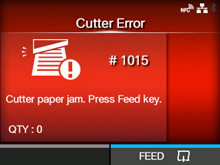
CL-NX Error Message 1015 (Cutter Error) Miho 16 May 2026 09:56 Updated When there is an error with the product, the error message appears on the screen. Check the cause and countermeasure, and then take appropriate action. To clear the error: Press thebutton (FEED). Cause and Countermeasure Reference Cause (1) A media jam has occurred in the cutter. Countermeasure (1) Remove the jammed media from the cutter. Refer to the video for loading the media, for the media path, and for the operation of each part inside the product. • Be careful not to cause injury with the cutter blade when removing the media. If the error is not solved, power on the product again. Loading the Media with the Optional Cutter Unit Cause (2) The cutter blade does not return to the specified position. Countermeasure (2) Press thebutton (FEED) to move the cutter blade back to the specified position. If the error is not solved, power on the product again. - [01-01399-EN]

 button (FEED).