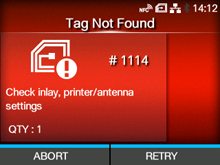
CL-NX Error Message 1114 (Tag not Found) (CL4NX Only) Miho 16 May 2026 09:56 Updated When there is an error with the product, the error message appears on the screen. Check the cause and countermeasure, and then take appropriate action. To clear the error: Press thebutton (RETRY), and then execute the retry/release operation set in[Retry Mode], or press thebutton (ABORT). Retry Mode To cancel an entire print job, open and close the top cover to switch the product to Offline mode, and then press thebutton (CANCEL). Cause and Countermeasure Reference Cause Did not find the tag, or failed to read the tag. Countermeasure Confirm the inlay and check the product and antenna settings. RFID Settings (CL4NX Only) RFID (CL4NX Only) [01-01483-EN]

 button (RETRY), and then execute the retry/release operation set in
 button (ABORT).