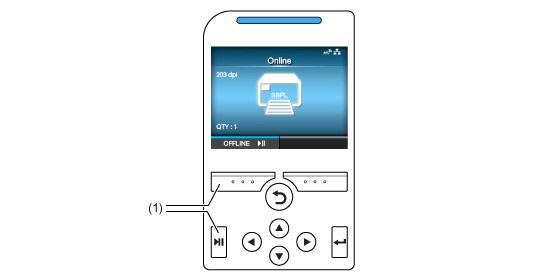
In the default settings, the product powers on in Online mode.
(1) Change to Offline mode.
•
You can use the[Printing]>[Advanced]>[Start Online]menu in the Settings mode to set whether the product starts in Online mode or Offline mode when powering on.
Offline Mode
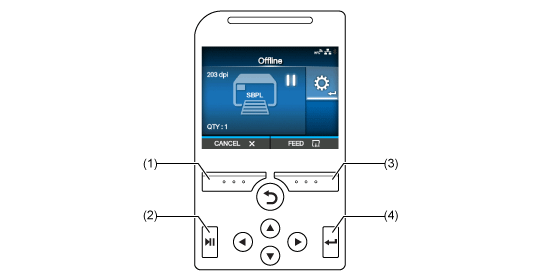
In Offline mode, the print job will stop.
You can adjust the print settings, cancel the print job or feed the media.
After you complete or cancel the print job, you can show the Settings mode.
(1) Cancel the print job.
(2) Change to Online mode.
(3) Feed the media.
(4) Shows the Adjustments mode when the print job is paused.
Shows the Settings mode when there are no print jobs.