Applicable models : CL4NX/6NX
Please refer to the below.
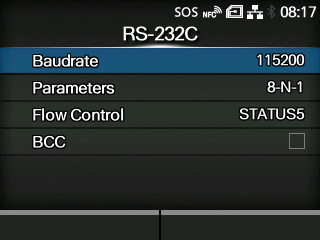
Set the RS-232C connection.
Appears only if the combo interface board is installed.
|
|
|
•
|
When[Tools]>[Barcode Checker]>[Test]>[Interface]is set to[RS-232C Reader], the following message appears on the screen and you cannot change the[RS-232C]menus.
|
"Reader is set for RS232C connection destination. Please check the setting of barcode checker."
|
The setting items are as follows:
Set the communication speed.
Set the communication protocol.
Set the BCC check function.
|
◦
|
Appears only if you have selected[STATUS5]in the[Flow Control]menu.
|
[02-01282-EN]