
Modelli applicabili: CL4NX/6NX
In the SOS (SATO Online Services) function, the product information is sent to the SOS cloud and monitored and managed.
The status icon and the notification screen appear at the time specified when[SOS Mode]is set to[On-Demand]in the[Interface]>[Network]>[Services]>[Online Services]menu and[Periodic Notification]is enabled on the product. A QR code with the product information is displayed on the notification screen. You can send the product information to the SOS cloud by scanning the QR code with a tablet or a smartphone.
and the notification screen appear at the time specified when[SOS Mode]is set to[On-Demand]in the[Interface]>[Network]>[Services]>[Online Services]menu and[Periodic Notification]is enabled on the product. A QR code with the product information is displayed on the notification screen. You can send the product information to the SOS cloud by scanning the QR code with a tablet or a smartphone.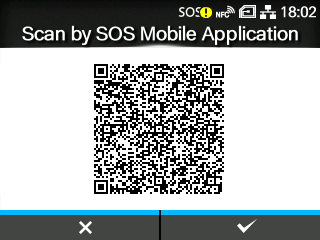
By pressing the button, the display returns to the Offline screen without resetting the QR code for periodic notification.
button, the display returns to the Offline screen without resetting the QR code for periodic notification.By pressing the button, the QR code for periodic notification is reset and the display returns to the Offline screen.
button, the QR code for periodic notification is reset and the display returns to the Offline screen. .
.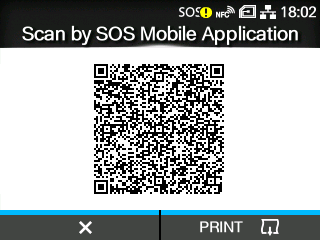
By pressing thebutton, the QR code for periodic notification is reset and the display returns to the Offline screen.
button, the QR code for periodic notification is reset and the display returns to the Offline screen.[02-01659-EN]