Applicable models: CL4NX/6NX
Please refer to the below.
Connect the interface cable when the product is powered off.
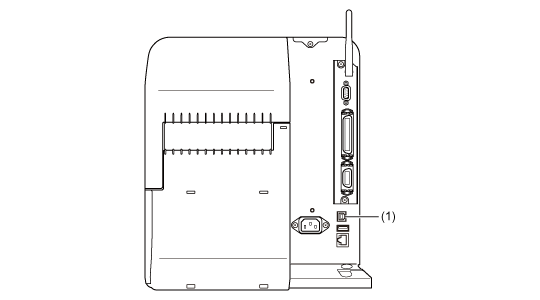
Connect the USB cable to the USB connector (Type B) (1) of the product.
The USB interface is selected after connecting the USB cable to the computer and the product, and powering on the product while the computer is turned on.
|
|
|
•
|
If the product is powered on without installing the printer driver, Windows' Plug & Play runs. When using the printer driver, do not power on the product while the USB cable is connected until instructed in the procedure for installing the printer driver.
|
|
•
|
We recommend a USB cable that is less than2m (6.6feet) long.
|
|
[02-01554-EN]