Applicable models: CL4NX/6NX
Please refer to the below.
Initialize the data and setting values on the product.
|
|
|
•
|
It is generally not necessary to perform the initialization. Doing so could change the print conditions.
|
|
•
|
The data to be initialized are the fonts and graphics registered in the product.
|
|
|
1.
|
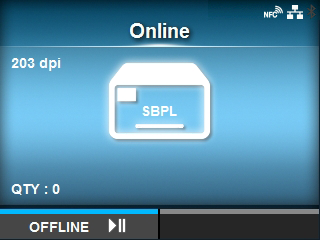
Press the button in Online mode. button in Online mode.
|
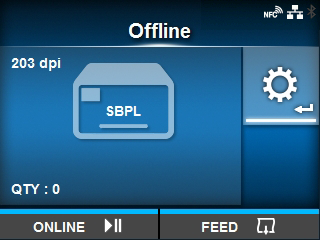
The product changes to Offline mode.
|
2.
|
Press the button. button.
|
The product changes to Settings mode.
|
3.
|
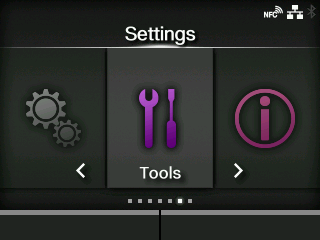
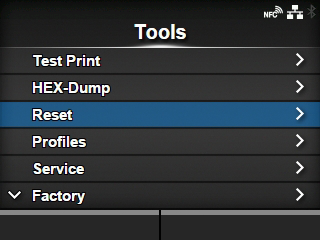
Select[Tools]using the / / buttons. buttons.
|
|
4.
|
Press thebutton.
|
|
5.
|
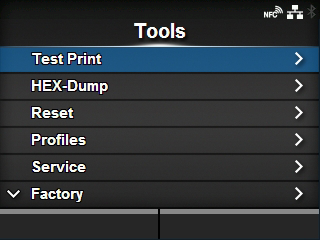
Select[Reset]using the / / buttons. buttons.
|
|
6.
|
Press thebutton.
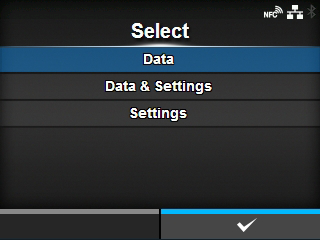
|
The
[Select]screen appears.
|
7.
|
Select[Data & Settings]using the/buttons.
|
|
8.
|
Press the button. button.
|
|
9.
|
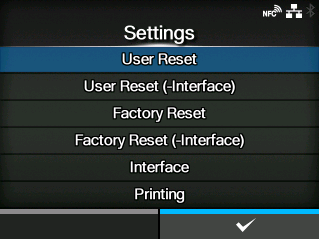
Select the setting items to be initialized using the/buttons.
|
Initialize the data and setting values.
[User Reset (-Interface)]
Initialize the data and setting values that are not included in the
[Interface]menu.
Initialize to the status after factory shipment.
[Factory Reset (-Interface)]
Initialize the items that are not included in the
[Interface]menu to the status after factory shipment.
Initialize the data and setting values in the
[Interface]menu.
Initialize the data and setting values in the
[Printing]menu.
|
10.
|
Press thebutton.
|
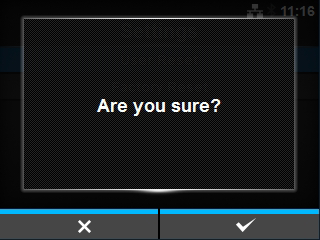
The confirmation screen appears.
|
11.
|
Press thebutton to perform the initialization.
|
Press the

button to cancel the initialization.
The initialization is performed.
When the initialization is complete, the product reboots.
[02-01733-EN]