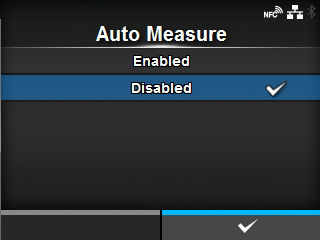
Applicable models: CL4/6NX
The product automatically measures the length of the media.
The measured length of the media will be automatically saved in
[Label Length].
The Auto Measure function can be performed when
[Sensor Type] is set to
[Gap] or
[I-Mark].
The setting procedure of the label length using the Auto Measure function is as follows:
|
2.
|
Set [Auto Measure] to [Enabled].
|
|
3.
|
Press the  button or  button to show the Online or Offline screen.
|
|
4.
|
Open the print head. (Head Open error occurs.)
|
|
5.
|
Close the print head. (The display returns to Offline screen.)
|
|
6.
|
When you press the button, the product feeds two pieces of label and measures the label length.
|
|
7.
|
The measured label length is saved in [Label Length].
|
 |
• When you have set [Auto Measure] to [Enabled], this function executes when the product powers on. |
[02-02321-EN]