Applicable models: CL4/6NX
Install certificates used for Wi-Fi authentication and for HTTPS.
Available only if you have installed the USB memory.
 |
• Be sure to perform a virus check on the USB memory before connecting it to the product. SATO Corporation shall not be held responsible for any product malfunctions caused by a virus spread via USB memory. |
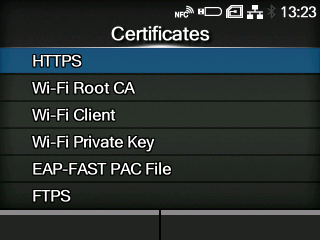
The setting items are as follows:
Installs the HTTPS certificates from the USB memory.
Installs the Wi-Fi Root CA certificates from the USB memory.
Installs the Wi-Fi client certificates from the USB memory.
Installs the Wi-Fi private key from the USB memory.
Installs the EAP-FAST PAC file from the USB memory.
The procedure to install the certificates and PAC files is as follows:
|
1.
|
Save the certificate files to the USB thumb drive memory’s root folder.
|
Acceptable file extensions are as follows:
|
◦
|
.pem, .crt, .cer, .der for Root CA and client certificate in PEM or DER format
|
|
◦
|
.pfx and .p12 for client certificates in PKCS #12 format
|
|
◦
|
.prv and .key for private keys in PEM/PKCS#8 format
|
|
2.
|
Insert the USB memory into the USB connector (Type A).
|
|
3.
|
Go to the [Settings] > [Tools] > [Certificates] menu.
|
|
4.
|
Select the certificate you want to install. Refer to the item description above.
|
|
5.
|
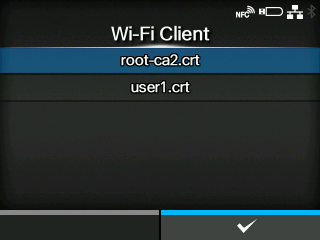
Select the certificate file from the list.
|
[02-02370-EN]