Applicable models: CL4/6NX
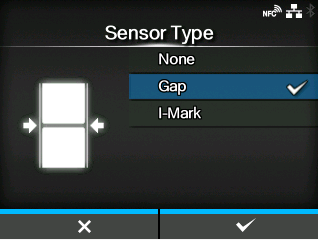
Set the sensor type for detecting the media.
|
1.
|
Select the media sensor type using the  / / buttons. buttons.
|
Disable the media sensor.
Select this option when using gap type media. Use the transmissive type sensor.
Select this option when using I-mark type media. Use the reflective type sensor.
|
|
|
•
|
The available options will vary depending on the [Print Mode] set on the product. The initial value of [Print Mode] differs depending on the options installed on the product.
|
|
◦
|
If [Print Mode] is set to [Tear-Off], [Dispenser], or [Cut & Print], only [Gap] and [I-Mark] will be available.
|
|
◦
|
For CL4NX, if [Print Mode] is set to [Linerless], only [None] and [I-Mark] will be available.
|
|
|
2.
|
Press the  button or button or  button to confirm. button to confirm.
|
[02-02305-EN]