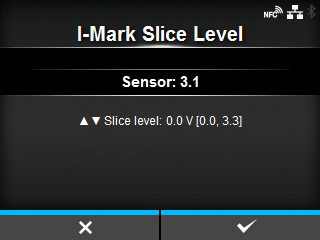
CL-NX [I-Mark Slice Level] Miho 15 May 2026 11:21 Updated Set the I-mark sensor slice level. The setting procedure is as follows: 1. Use the following formula to calculate the slice level: (High level - Low level) x 0.7 + Low level = slice level 2. Select the[I-Mark Slice Level]in the[Calibrate]menu and press thebutton. 3. Press the/buttons to change the[Slice level]value. Set the[Slice level]to the slice level calculated in step 1. 4. Press thebutton to confirm the value. • If you set the[Slice level]to 0.0 (V), the product sets the slice level automatically. [03-01419-EN]
 button.
 /
/ buttons to change the
 button to confirm the value.