Applicable models: CL4NX/6NX
Set the printer language.
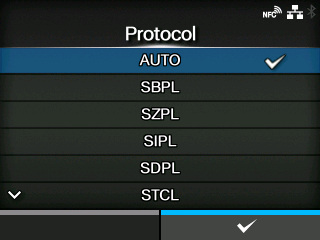
The options are as follows:
Automatically analyze the received print data and set the printer language. In
[AUTO] mode, the product can change the language after startup by receiving another language.
Set when you use the SBPL printer language or XML.
Set when you use the SZPL printer language.
Set when you use the SIPL printer language.
Set when you use the SDPL printer language.
Set when you use the STCL printer language.
Set when you use the SEPL printer language.
|
|
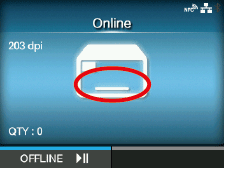
(When [AUTO] is selected in the [Protocol] menu)
| |
A message prompting you to restart the product will appear on the Online/Offline screen if you select [AUTO]. In such a case, reboot the product to apply the settings.
|
|
•
|
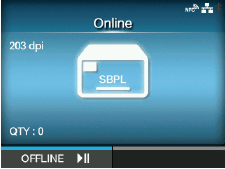
Once the printer language is fixed, the name of the printer language will appear on the Online/Offline screen. The area to show the name of the printer language will remain blank until the printer language is finalized.
|
|
•
|
Printer language is finalized with the received print data.
|
|
•
|
When [SBPL] > [Standard Code] in the [Applications] menu is disabled, the [Protocol] setting will be changed to [SBPL].
|
|
[03-02392-EN]