CL-NX Print Method Miho 15 May 2026 11:20 Updated The product supports two types of print methods, thermal transfer and direct thermal. Thermal transfer Prints using a ribbon. Direct thermal Prints using direct thermal media. • Ribbon is not necessary if you are using direct thermal media. Change the print method according to the following procedure: 1. Press thebutton in Online mode. The product changes to Offline mode. 2. Press thebutton. The product changes to Settings mode. 3. Select[Printing]using the/buttons. 4. Press thebutton. The item list appears. 5. Select[Printing Mode]using the/buttons. 6. Press thebutton. The[Printing Mode]screen appears. 7. Select the print method using the/buttons. [Use Ribbon] Prints using a ribbon. [Direct Thermal] Prints using direct thermal media. 8. Press thebutton to confirm. [03-01550-EN]
 button in Online mode.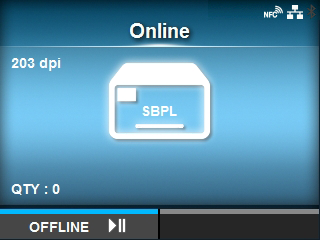
 button.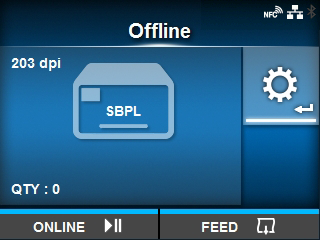
 /
/ buttons.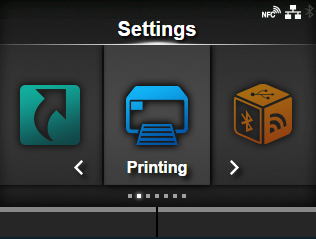
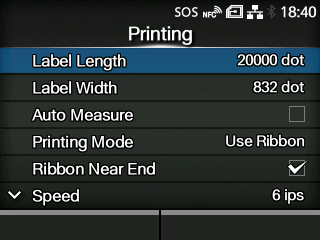
 /
/ buttons.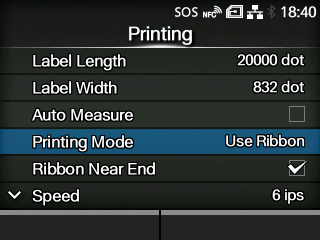
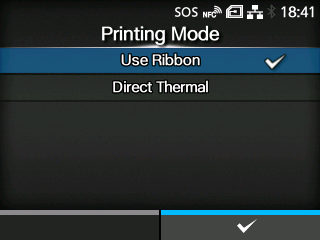
 button to confirm.