
Applicable models: CL4NX/6NX
Please refer to the below.
|
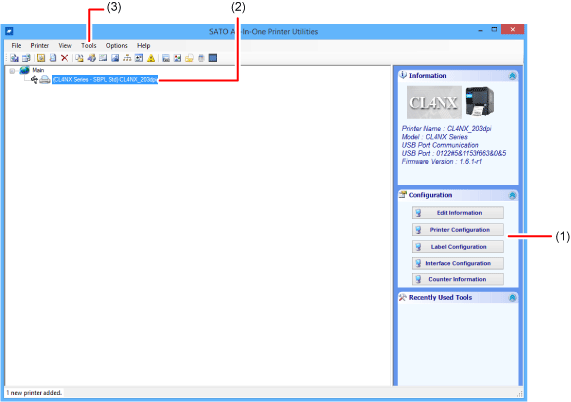
(1) Print and interface settings can be configured from the[Configuration]panel displayed when selecting the product on the main screen.
(2) Application settings and status monitoring of the product can be enabled from the menu displayed when right-clicking after selecting the product on the main screen.
(3) Fonts and graphics can be stored in the product and the SBPL command can be sent from the[Tools]menu of the main screen.
[03-01621-EN]