
Applicable models: CL4/6NX
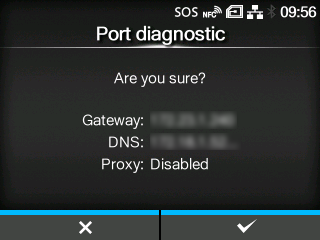
Diagnoses the network environment to determine whether the Real-Time mode and the Light mode can be used when connecting to SOS.
Pressing the  button shows [Are you sure?] on the screen, and then pressing the
  button starts the port diagnostic.
button shows [Are you sure?] on the screen, and then pressing the button starts the port diagnostic.
The supported mode of the SOS connection appears on the screen when the port diagnostic has been completed.
|
• The port diagnostic cannot be executed in the following cases: ◦ When the default gateway address is not configured ◦ When the DNS address is not configured ◦ When the firewall setting is enabled If [Impossible to run.] appears on the screen before starting the port diagnostic, configure each setting in the [Interface] > [Network] menu, and then execute the port diagnostic again. • If you press the • If the product fails each test during the port diagnostic, the diagnostic will be canceled. Configure the interface settings according to the message displayed on the screen and contact your network administrator about the network settings. |
[09-02270-EN]