
When there is an error with the product, the error message appears on the screen.
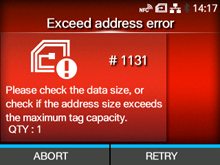
Press the button (RETRY), and then execute the retry/release operation set in[Retry Mode], or press the
 button (ABORT).
button (RETRY), and then execute the retry/release operation set in[Retry Mode], or press thebutton (ABORT).To cancel an entire print job, open and close the top cover to switch the product to Offline mode, and then press thebutton (CANCEL).
button (CANCEL).|
|