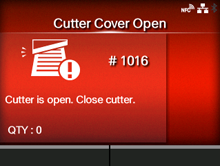
CL-NX Error Message 1016 (Cutter Cover Open) Miho 15 November 2024 07:45 Updated When there is an error with the product, the error message appears on the screen. Check the cause and countermeasure, and then take appropriate action. To clear the error: Close the cutter. Cause and Countermeasure Reference Cause (1) The cutter-open lever is open. Countermeasure (1) Close and lock the cutter-open lever. Loading the Media with the Optional Cutter Unit Cause (2) The cutter unit is defective. Countermeasure (2) Power the product off and then on again. Powering On/Off the Product [01-01425-EN]