Can I perform a test print?
Yes, you can execute a test print using the Mobile All-In-One Tool by going to the printing options in the app and selecting "Test Print.", or follow the steps below:
When the Mobile All-In-One Tool is connected to the printer, you can perform a trial printing remotely.
|
|
This feature is not available for WT4-AXB series (International Model) printers.
|
|
1.
|
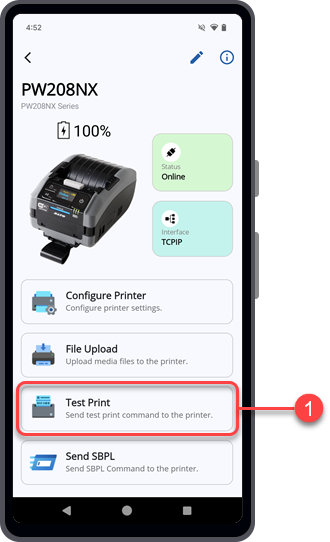
On the Printer screen, tap the [Test Print] button.
|
The Mobile All-In-One Tool will check the connection of the printer.
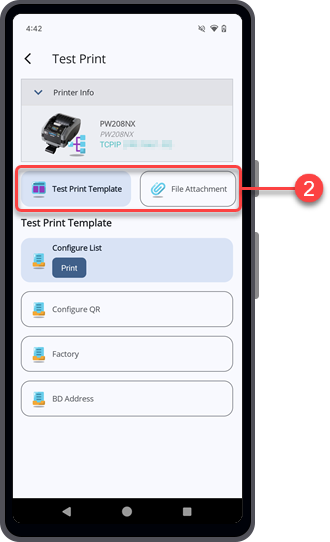
The
[Test Print] screen is shown.
|
2.
|
On the [Test Print] screen, select the page source for printing. You can either choose to print using the [Test Print Template] or the [File Attachment].
|
Continue with the following procedures according to the selected option.
[04-80130-EN]